# SwitAPI 토큰 발급
#### SwitAPI 사용을 위한 토큰 발급
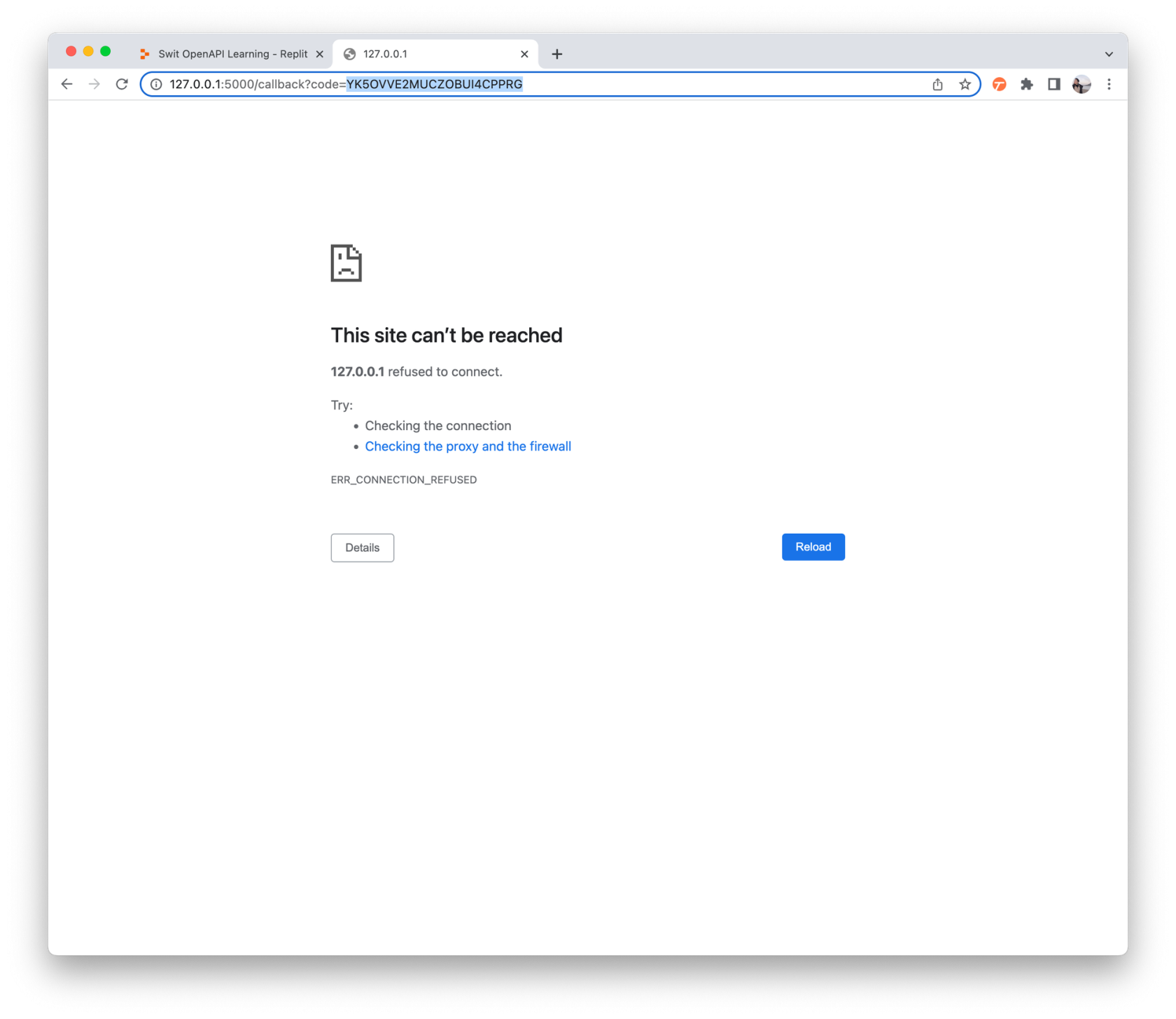
> * 브라우저 창에서 오류가 났어요
> * 정상입니다. 127.0.0.1:5000 뒤 code값을 사용합니다.
##### 1. Swit.io 사이트 Free/Standard 로그인
##### 2. **[developers.swit.io](http://developers.swit.io/)** 사이트에서 My app 클릭 > 앱 선택
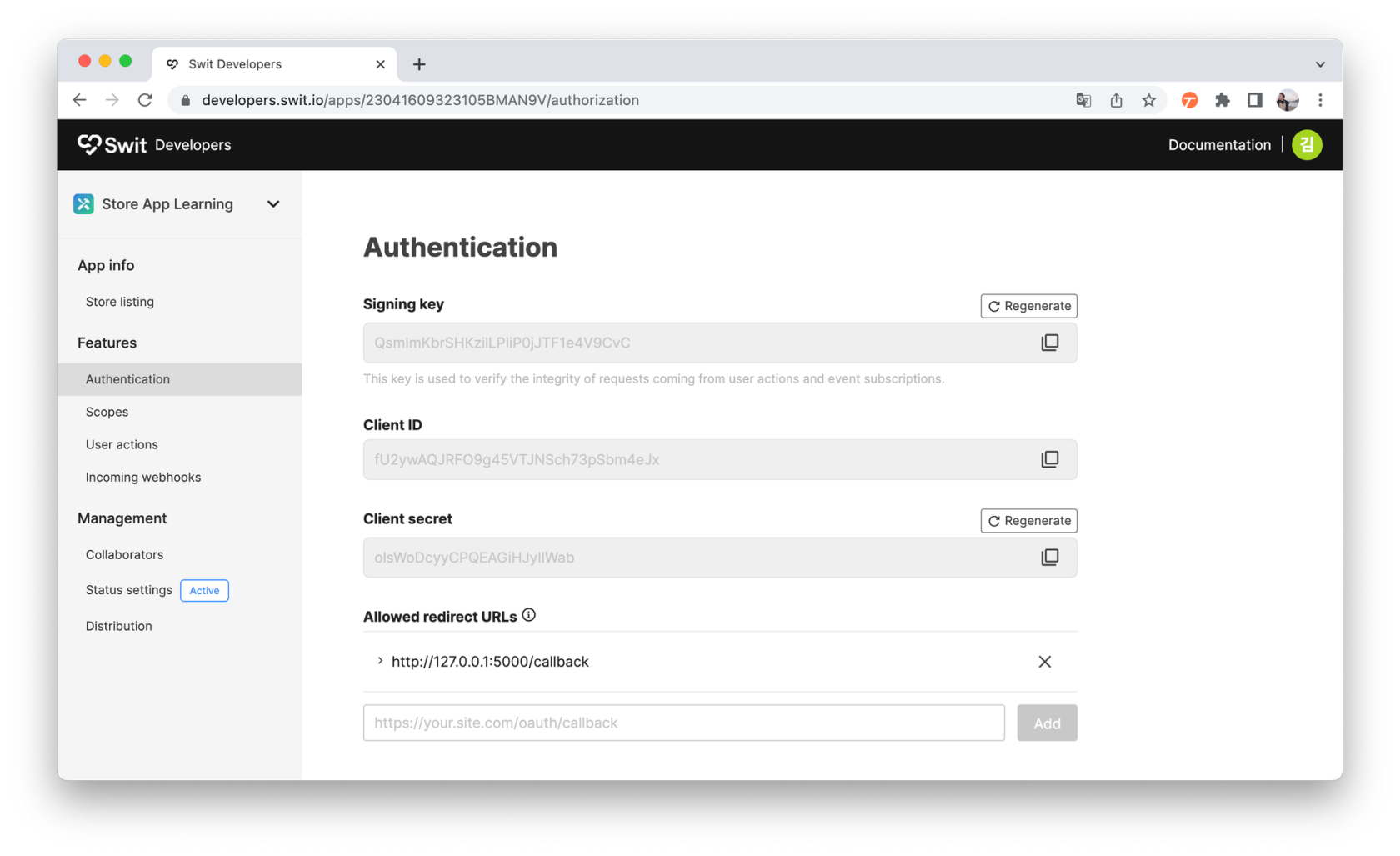
##### 3. Authentication 메뉴 진입
##### 4. replit 사이트에서, main.py (Python리플) 에 기존 내용 모두 지우고 아래 내용 복사 붙여넣기
```Python
import requests, json
from urllib import parse
api = 'https://openapi.swit.io'
redirect = 'http://127.0.0.1:5000/callback'
clientid = 'STEP1. 클라이언트아이디'
secret = 'STEP1. 클라이언트시크릿'
scope = 'message:write'
get_ep = '/oauth/authorize'
get_params = {
'client_id': clientid,
'redirect_uri': redirect,
'response_type': 'code',
'scope': scope
}
code = 'STEP2. 코드값'
post_ep = '/oauth/token'
r = requests.post(
url = f"{api}{post_ep}",
headers = {
'Content-Type': 'application/x-www-form-urlencoded'},
data = {
'grant_type': 'authorization_code',
'client_id': clientid,
'client_secret': secret,
'redirect_uri': redirect,
'code': code}
)
if r.ok:
print(r)
print(json.dumps(json.loads(r.text), indent=2))
else:
print(f"{api}{get_ep}?{parse.urlencode(get_params)}")
```
##### 5. 붙여놓은 코드중 6,7번째 라인의 clientid 와 secret 에 3. Authentication 페이지의 Client ID 와 secret 각각 복사 붙여넣기
[](https://tech-support.swit.io/uploads/images/gallery/2024-01/yAHGF4SOO3jjLGgX-image-1704687119977-67-clientid-secret-3-authentication-client-id-secret.png)
##### 6. replit 사이트의 Run 버튼 클릭
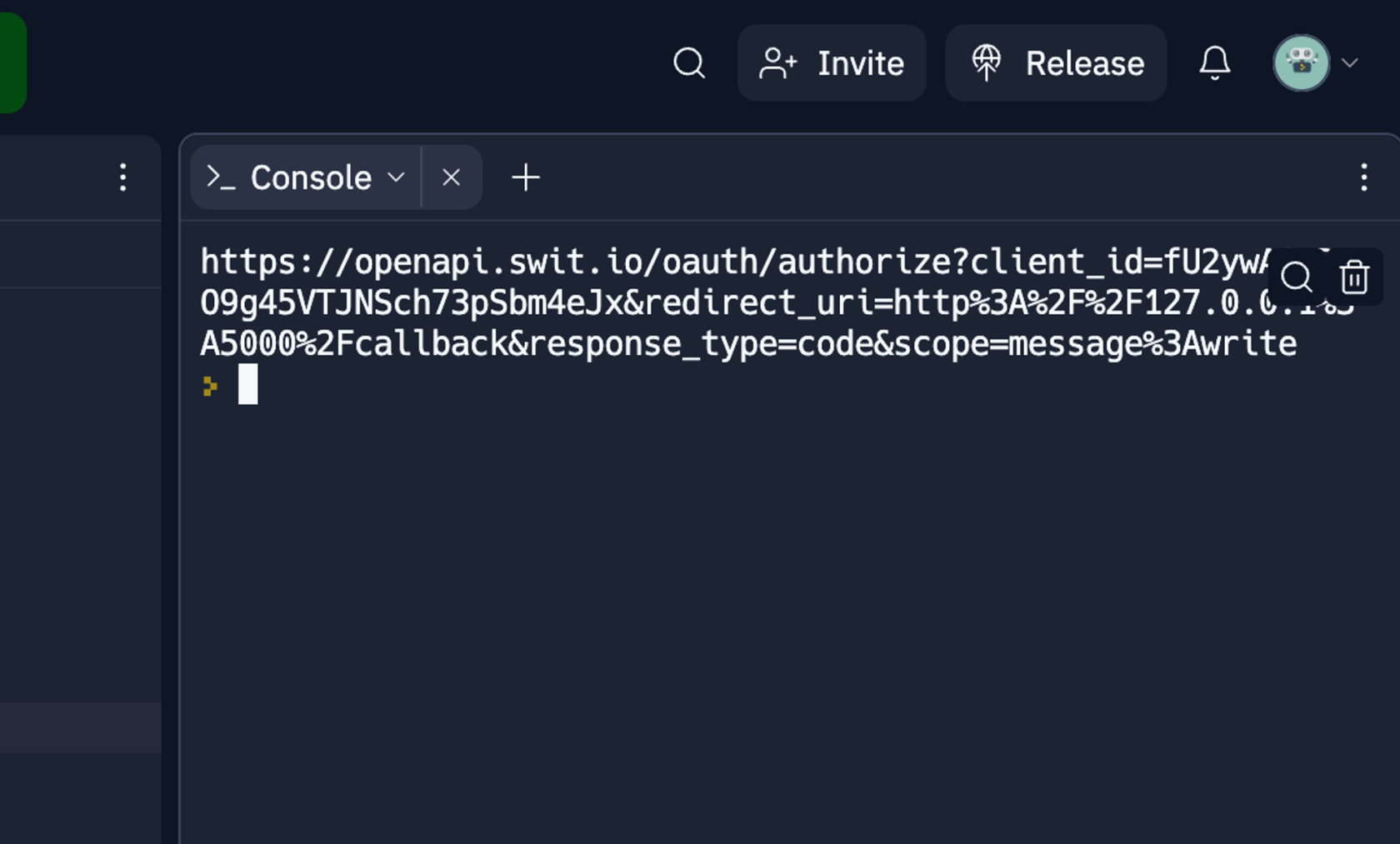
##### 7. Console 탭에 나타난 복잡한 형태의 링크 클릭
[](https://tech-support.swit.io/uploads/images/gallery/2024-01/1Ggwe2qN9ObKgIEX-image-1704687125497-console.png)
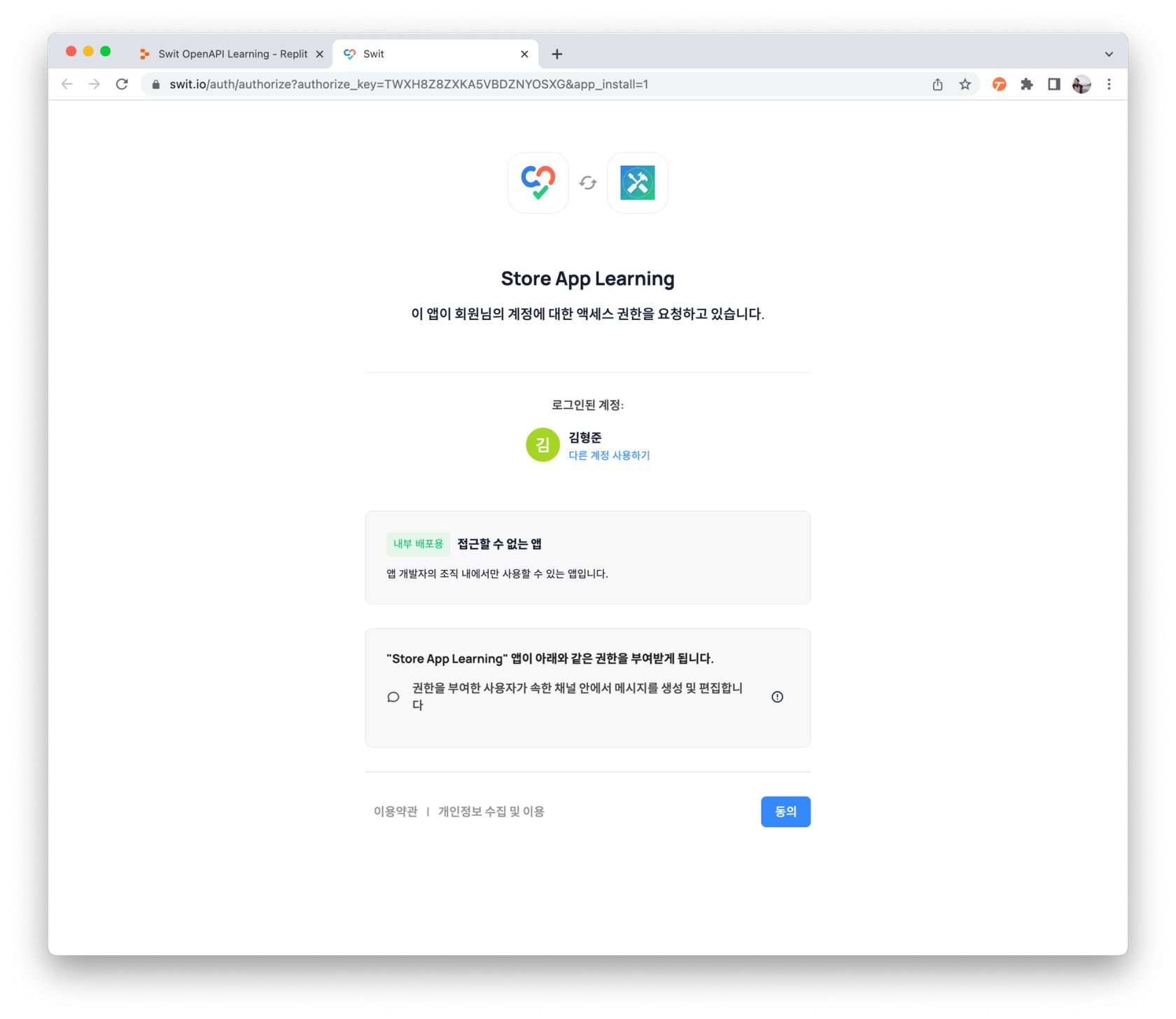
##### 8. Swit App 액세스 권한 요청 탭에서 맨 아래 오른쪽 "동의" 버튼 클릭
[](https://tech-support.swit.io/uploads/images/gallery/2024-01/qBmFBhMLzyR0Ns8O-image-1704687133358-swit-app-2222.png)
##### 9. 오류 화면의 URL에서 127.0.0.1:5000/callback?code=” 뒷 부분만 선택하여 복사 (코드 복사)
[](https://tech-support.swit.io/uploads/images/gallery/2024-01/zv94LWRiSVKJHS2H-image-1704687272294-url.png)
오류페이지 나오는것이 정상입니다!
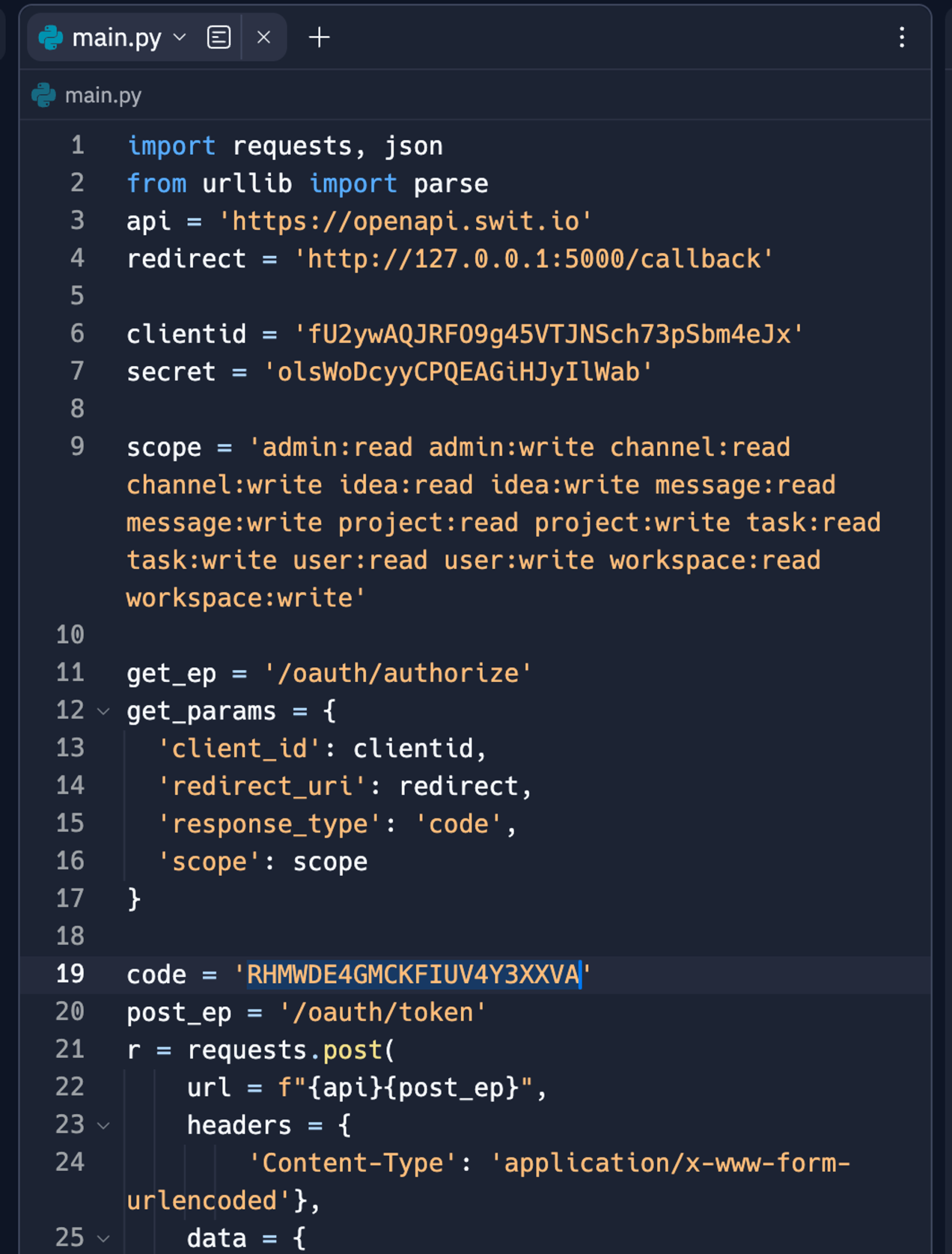
##### 10. replit 사이트 에서 19번째 code 값에 복사한 값 붙여넣기
[](https://tech-support.swit.io/uploads/images/gallery/2024-01/hCUyan97iBF9Kzik-image-1704687289648-replit-19-code.png)
##### 11. replit 사이트의 Run 버튼 클릭
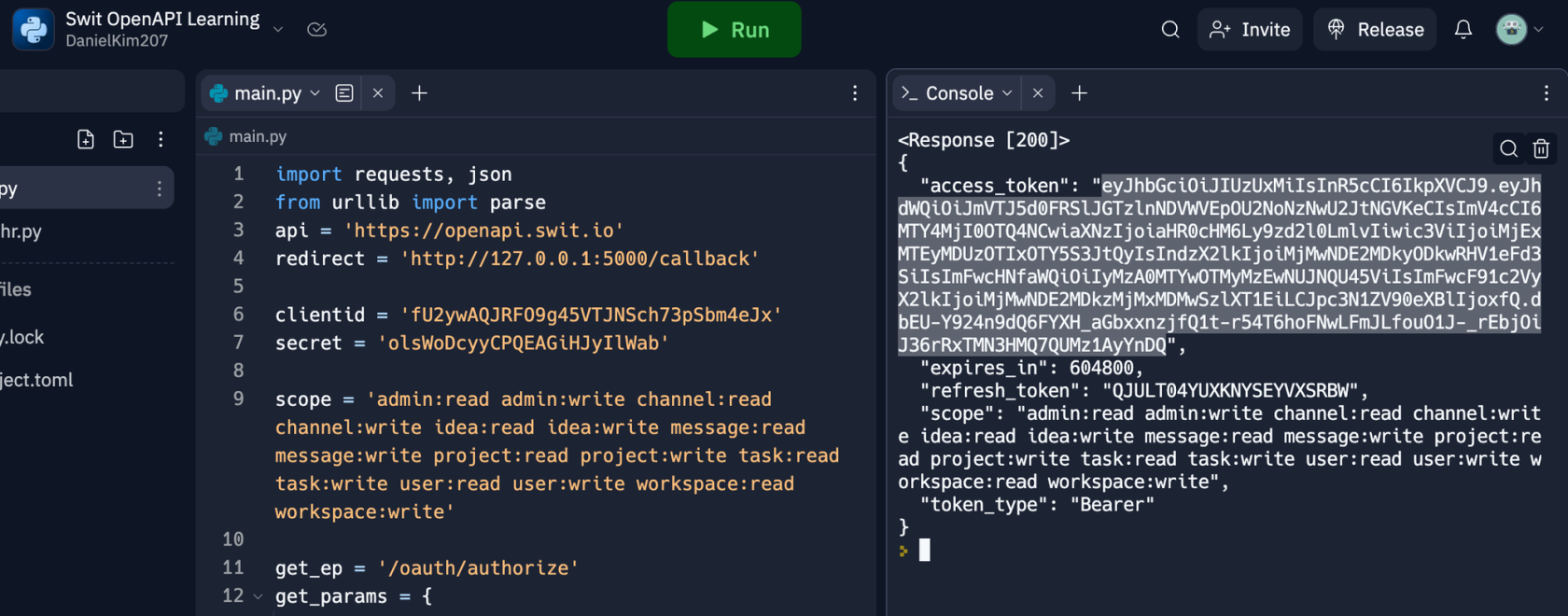
##### 12. 성공시 Console 탭 내용중 access_token 값 복사하여 메모장 등
[](https://tech-support.swit.io/uploads/images/gallery/2024-01/XSgN5biob2JyAPnF-image-1704687254552-console-access-token.png)
---
토큰발급이 끝났습니다.
다음으로는 API를 활용하여 SWIT에 채팅 메세지를 보내보도록 하겠습니다.